Microsoft Outlook includes email, calendar and task features. Outlook Calendar lets you schedule events and meetings and create custom calendars. To view and manage those events from Samsung Calendar, first connect your Outlook calendar to Google Calendar, then sync that Google account on your Samsung smartphone.
Publish your Outlook calendar
- In a web browser, sign in to Outlook.com with your Microsoft account credentials.
- Click the gear icon in the upper-right corner, then choose "View all Outlook Settings".
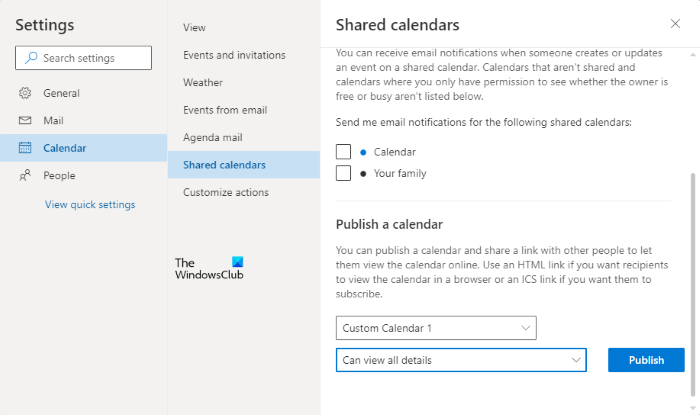
- Navigate to "Calendar > Shared Calendars". Under "Publish a calendar", open the "Select a calendar" drop-down and choose the calendar you want to share. Set the permissions for the published calendar, then click "Publish".
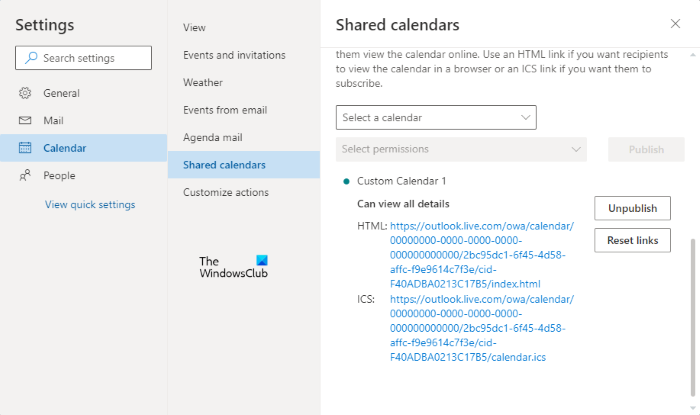
- Outlook provides both an HTML link and an ICS link after publication. Click the ICS link and choose "Copy link" to place it on your clipboard.
Add the calendar to Google Calendar
Use the same Google account that you will use in Samsung Calendar. A different Google account on your phone will not sync this Outlook calendar.
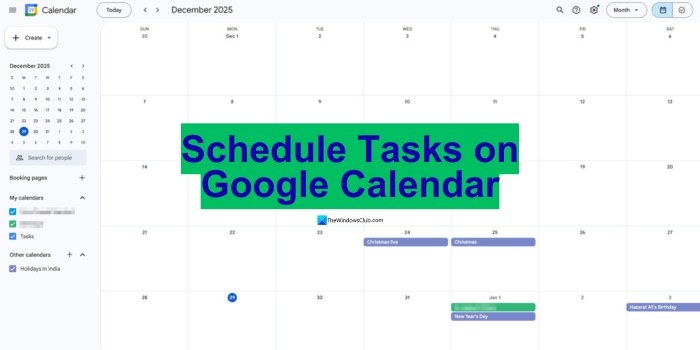
- Sign in to your Google account and open Google Calendar.
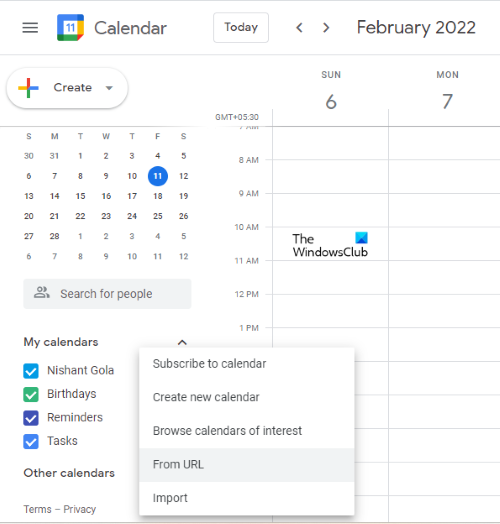
- Click the plus icon beside "Other calendars" and choose "From URL".
- Paste the copied ICS link and click "Add Calendar". Allow some time for Google Calendar to add it. Once added, your Outlook calendar appears under "Other calendars".
Sync the calendar on your Samsung phone
- Open the Calendar app on your Samsung smartphone and tap the three horizontal lines in the upper-left corner.
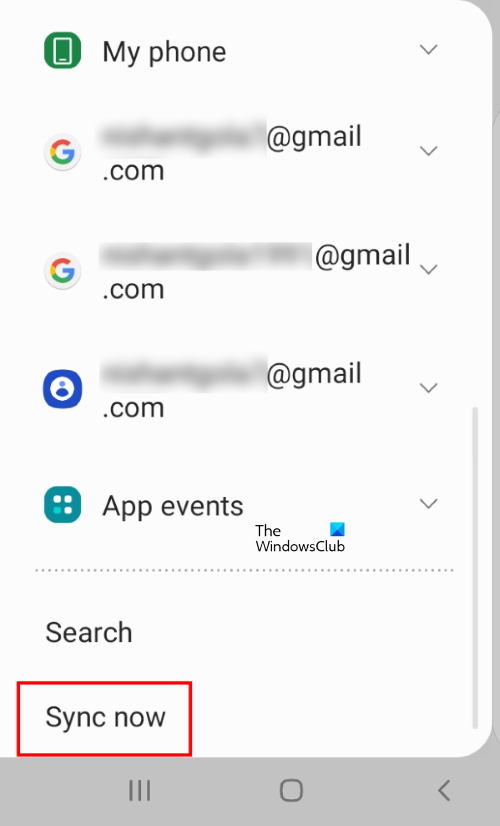
- Scroll down and select "Sync now". Wait for syncing to finish; the app will display "Calendars synced".
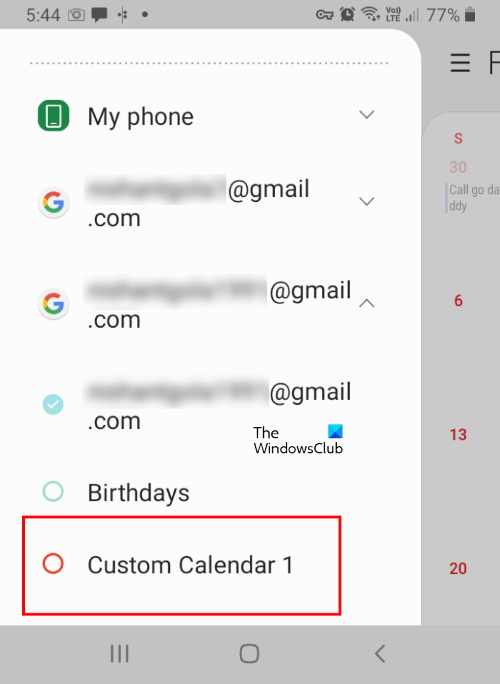
- Tap the Google account you used to add the Outlook calendar. Your Outlook calendar should be listed there.
If the Google account is not in Samsung Calendar
Open Samsung Calendar settings and tap "Add new account". Select "Google", then follow the on-screen instructions to add the account that contains your Outlook calendar. Afterwards, open the calendar menu again, select "Sync now", wait for completion and tap that Google account to find the Outlook calendar.