As teams expand and work becomes more complex, daily schedules help clarify responsibilities and keep people coordinated. A useful template connects tasks, working hours, and team capacity without creating unnecessary administration.
This guide compares scheduling approaches, explains how to prepare for changing priorities, and outlines how monday.com turns static plans into connected workflows.
Key scheduling principles
- Choose a format that reflects the work: rotating shifts for continuous coverage, hourly blocks for billable work, or flexible schedules for distributed teams.
- Allow time for breaks and transitions so small delays do not disrupt the entire day.
- Record task ownership, priorities, working hours, and availability—not just attendance.
- Use automation and shared workload information to respond to absences and changing priorities.
- Start with current needs, but consider whether the approach can support larger teams and cross-department coordination.
What does a daily work schedule template do?
A daily work schedule template organizes a team's time, tasks, and resources for one workday. It identifies who is responsible for each activity, when it should happen, and how it supports wider objectives.
Where a basic calendar reserves time, a work schedule connects those time blocks to people and deliverables. That connection makes priorities actionable and helps prevent conflicts. The structure should suit the team, whether it relies on rotating shifts, flexible remote hours, or project-focused creative sessions.
Choose a template for your work pattern
Different operating models need different schedules. Continuous customer service coverage calls for shift rotation, while a marketing team may need flexible blocks for campaign work and collaboration.
Individual employee schedules
An employee daily schedule makes individual workloads visible while helping teams account for labor requirements around breaks and maximum working hours. Include:
- Working hours, including start times, end times, and breaks.
- Deliverables assigned to specific time blocks.
- Priority markers that distinguish urgent tasks from routine work.
- Handoff notes for work continuing into another shift.
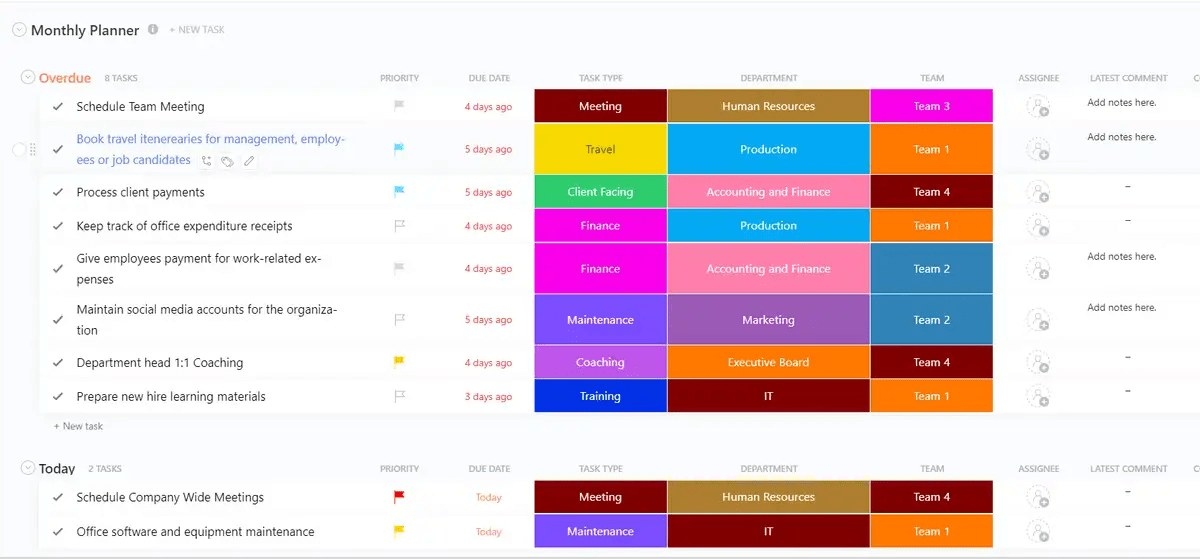
Digital platforms add ownership and deadlines to these plans, giving employees a current schedule and managers visibility into progress and capacity.
Rotating shift schedules
Healthcare, manufacturing, and customer support teams use shift templates to maintain uninterrupted coverage. The schedule must balance fair rotation, appropriate skills, and compliance requirements.
- A coverage matrix shows who is working at each time.
- Skill matching ensures the necessary expertise is present on every shift.
- Handoff protocols structure the transition between teams.
- Float pool tracking identifies backup staff for unexpected gaps.
Modern scheduling platforms can flag uncovered periods and manage shift swaps without manager intervention. Shared workload information also helps managers respond to changing priorities within complex rosters.
Hourly schedules
Hourly templates suit project-based work and organizations whose revenue depends on billable time, including consulting firms, agencies, and professional services. They connect time blocks to client projects or internal initiatives.
Time tracking supports financial reporting and project management by showing project duration, informing capacity plans, and helping teams align time allocation with strategic priorities.
Remote team schedules
Distributed teams need flexibility alongside reliable opportunities to coordinate. Remote templates bring together collaboration hours, focused work, and communication preferences to support productivity and work-life balance.
- Time zone mapping makes working hours clear across locations.
- Core hours identify overlapping availability for live collaboration.
- Communication status indicates current availability.
- Asynchronous work blocks protect time for concentrated work.
Digital availability indicators help colleagues see who is online across global locations without relying on manual checks.
Hybrid schedules
Hybrid templates record who is working remotely or in the office and when teams will meet in person. They support office-space planning, reserve shared days for collaborative work, and help maintain team connections while preserving individual flexibility.
Project-based schedules
Project templates organize work around milestones and deliverables instead of clock hours. They distribute resources across concurrent projects and help avoid making one person essential to several competing deadlines.
As priorities change, these schedules link daily assignments to project timelines, team commitments, and organizational goals.
Compare daily schedule formats
Each format offers a different balance of accessibility, collaboration, and adaptability. Its limitations matter as much as its convenience.
Excel templates
Excel offers familiar tools such as formulas, conditional formatting, and data validation. Teams can calculate hours, highlight shifts, and reduce entry errors. However, it works better for individual drafting than for collaboration in growing teams:
- Emailed files create competing versions.
- Schedule changes must be redistributed manually.
- Real-time editing becomes impractical for larger teams.
- The format lacks automated logic to prevent double-booking or flag capacity problems.
Printable PDF planners
PDF schedules are useful where digital access is limited, including manufacturing floors, construction sites, and healthcare facilities. Posted schedules may also serve compliance or quick-reference needs.
They suit predictable routines, but a mid-day change requires a replacement to be printed and distributed.
Google Sheets templates
Google Sheets provides cloud access, simultaneous editing, and version history, allowing multiple managers to maintain a shared schedule. It resolves file-version problems but still requires manual data entry and oversight of double-bookings, compliance, and capacity. That workload can become difficult for larger teams.
Digital planner templates
App-based planners provide mobile access and notifications for shifts, schedule changes, and deadlines. Work management platforms extend this approach by connecting schedules to project boards, automations, and dashboards rather than treating planning as a separate activity.
Fields to include in every daily schedule
A schedule needs enough structured information to guide work and support decisions. Missing details can create confusion, compliance risks, and execution gaps.
Working hours and time blocks
Clear start and end times help prevent conflicts and maintain coverage. Consistent time blocks make capacity and staffing gaps easier to assess. Leave buffers between activities so minor delays do not derail later work.
Assignments and priorities
Attach specific tasks to time slots and identify their owners. Priority codes help direct the strongest resources toward high-value work, turning an attendance record into a plan for execution.
Breaks and compliance information
Recorded break times support labor-regulation compliance and protect organizations from liability. Well-timed breaks also sustain energy, reduce burnout, and help maintain consistent performance.
Current availability
Status indicators should distinguish people who are available, in meetings, or offline. Real-time visibility reduces double-booking and lets managers allocate urgent work without repeatedly contacting colleagues to check their availability.
Move from static plans to responsive scheduling
Absences and shifting priorities can quickly make a static schedule obsolete. Intelligent scheduling systems address that weakness by identifying problems and adapting as conditions change.
Identify issues before they spread
Proactive systems flag emerging conflicts so teams can act before delays cascade. If someone becomes unavailable, the system can suggest replacements based on skills and workload. Managers spend less time coordinating changes, while employees receive clearer priorities with fewer check-ins.
Automate repeatable coordination
Scheduling five people may be manageable manually; coordinating fifty can become a full-time responsibility. Automation handles repetitive work while leaving strategic decisions to people. Useful applications include:
- Repeating established schedules automatically.
- Matching shift requirements with employee skills.
- Detecting double-bookings before they occur.
- Notifying affected people immediately when plans change.
monday.com supports customizable workflows for these activities, including reassignments triggered by status changes and alerts for approaching deadlines.
Make dependencies visible across departments
Separate scheduling systems can hide dependencies and cause unexpected delays during handoffs. Unified platforms show how individual plans support broader initiatives, track transitions between teams, and expose potential delivery problems earlier.
Use AI to improve allocation
AI analyzes performance patterns to recommend workload distribution, while machine learning refines estimates using actual results. monday.com's scheduling-related AI capabilities include:
- Workload analysis to identify overloaded team members before burnout.
- Pattern recognition to find recurring bottlenecks and suggest process changes.
- Predictive insights to forecast capacity requirements from historical data.
- Smart assignments based on skills, availability, and previous performance.
5 steps for building an effective daily schedule
Build schedules around business goals and realistic capacity, with room to accommodate unexpected changes.
Step 1: Choose a suitable template
Consider workflow complexity, team size, and technical requirements. A small retail team may only need a shift grid, whereas a software development team may require connections to sprint planning and project tracking.
- Team size: Determine how much coordination is necessary.
- Work model: Distinguish shift-based, project-based, and hybrid requirements.
- Integrations: Identify existing tools and workflows the schedule must connect to.
- Growth: Assess whether the approach will remain useful if the team doubles.
A scalable starting point can avoid a difficult migration later.
Step 2: Define shifts and time blocks
Account for productive work, transitions, and unexpected delays. Overlapping shifts provide time for handoffs and help preserve important information.
- Place your strongest resources where demand is highest.
- Include buffers for small delays.
- Consider how energy changes throughout the day.
- Keep complex work away from typical low-energy periods.
Step 3: Give each task an owner
Assign responsibility for every piece of work, matching tasks to skills rather than availability alone. Integrated platforms let teams attach owners and deadlines directly to the schedule and provide automatic status updates, reducing manual follow-ups with stakeholders.
Step 4: Reserve breaks and transition time
Back-to-back commitments allow delays to accumulate and can contribute to burnout. Schedule breaks to sustain focus, and leave room for context switching, unexpected questions, and everyday interruptions.
Step 5: Share updates in real time
Make the current schedule accessible and establish clear communication practices so nobody relies on an old version. Shared visibility helps employees coordinate independently.
Integrations with Microsoft Teams, Gmail, and Slack allow teams to manage scheduling within familiar communication tools and stay informed about changing priorities.
How monday.com supports larger scheduling needs
monday.com connects daily schedules with wider workflows, allowing planning to adapt as teams and workloads become more complex.
Visual capacity management
Workload View uses visual indicators to show who is overloaded and who has available capacity. Managers can redistribute work through drag-and-drop adjustments rather than lengthy spreadsheet revisions, helping address bottlenecks before they affect delivery.
Rule-based coordination
Automation rules can assign shifts using skills and seniority, send handoff notifications when tasks finish, and revise schedules as project timelines change. Managers define the criteria and retain strategic oversight while reducing repetitive administration.
Organization-wide visibility
Shared dashboards expose scheduling information across departments while preserving team autonomy. Permissions limit access to relevant information and protect sensitive data.
This visibility supports resource sharing. For example, managers can locate available design capacity when marketing needs additional support without lengthy email exchanges.
Connections to existing tools
monday.com integrates with communication apps, calendars, and project management systems. Two-way synchronization automatically reflects schedule changes across connected tools, reducing the need to maintain multiple calendars while preserving a single scheduling reference.
Match the system to the team
Simple templates can serve small teams with stable routines. More complex organizations benefit from platforms that automate routine decisions, adapt to shifting priorities, and expose capacity across departments. Choose based on current scheduling problems and anticipated growth rather than adding complexity before it is needed.
Frequently asked questions
When should a team move from Excel to a digital platform?
Excel suits small teams with predictable schedules. As collaboration and scale become more demanding, platforms such as monday.com offer real-time updates, integrations, and automation beyond Excel's capabilities.
Which template features matter most for remote teams?
Prioritize time zone visibility, asynchronous work blocks, and current availability indicators. Digital platforms make distributed coordination easier through instant status updates rather than extensive manual tracking.
Can schedule templates monitor overtime?
Yes, when connected to actual hours worked. An appropriate integration calculates hours, warns when employees approach overtime thresholds, and supports accurate compensation and labor compliance.
How should schedules cover several locations?
Combine centralized oversight with local control. Unified dashboards give management a consistent view, while location managers retain the ability to adjust site-specific details.
How does a daily schedule differ from a day planner?
A daily schedule coordinates a team's or department's work and coverage. A day planner organizes an individual's tasks and time within that wider schedule.
How can recurring scheduling work be automated?
Use a platform with built-in automation. monday.com's automation recipes support recurring schedules, rule-based assignments, and immediate notifications while leaving strategic decisions under human control.